Writerphernalia home

Notephernalia All your notes, beautifully kept.

A calm, private home for ideas, plans, recipes and scraps. Notebooks inside notebooks, tags, rich text with checklists and pictures, and search that finds anything as you type. It stays on your own device, with no account and no AI.

Notephernalia note·pher·na·lia

Paraphernalia are the many small things you keep for a purpose. Notephernalia is a home for yours: ideas, lists, recipes, plans and scraps, kept tidy in notebooks on your own device.

  • 14-day free trial, then $14.99 once
  • Nothing to sign up for
  • Works offline
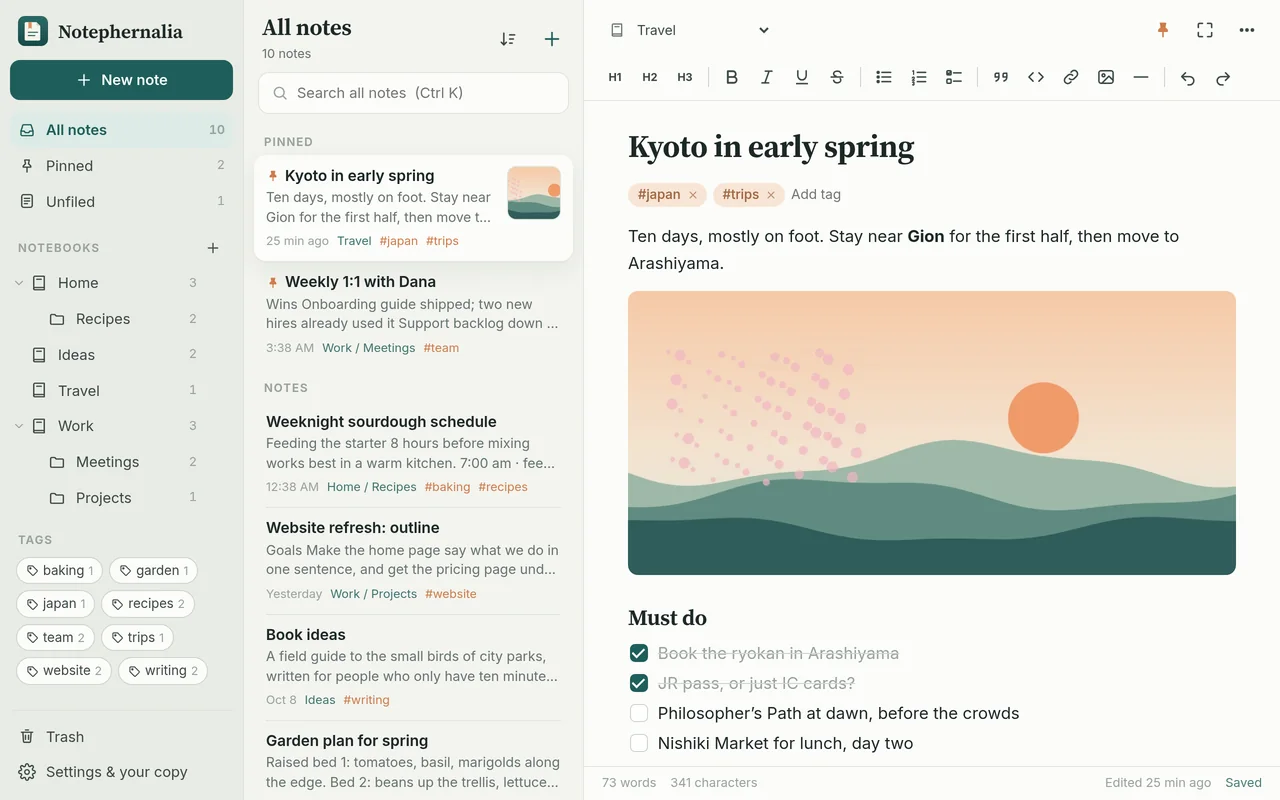
Notephernalia on a computer: notebooks on the left, a list of notes, and a travel note with a picture and a checklist
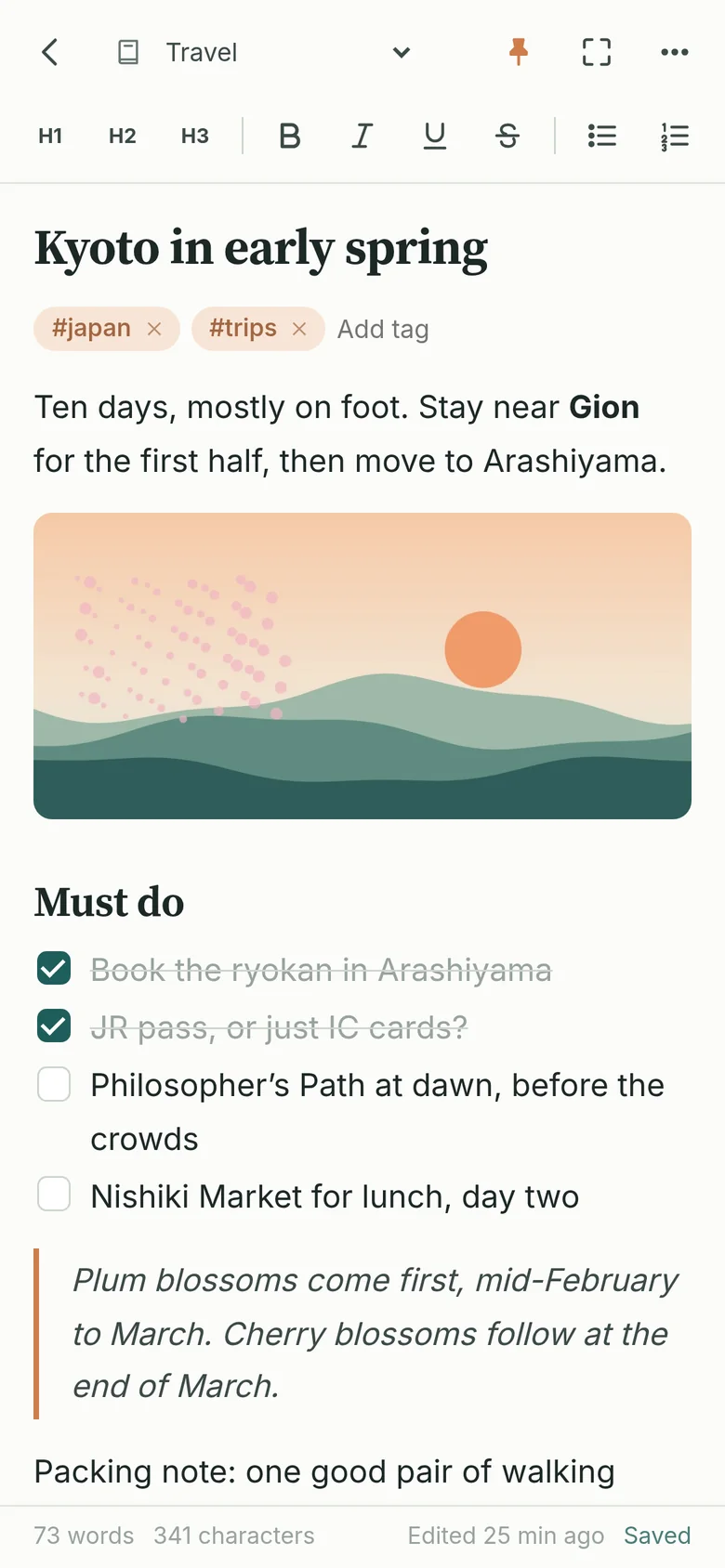
A note on a phone, with headings, a picture and a checklist
What it’s like

A tidy home for everything you jot down

Write first, sort it out later. Notephernalia keeps the small stuff findable without asking you to set anything up.

Write the way you think

Every note is a clean page with just enough formatting: headings, lists and checklists, quotes, and pictures you can paste or drop straight in. It saves as you type.

  • Headings, bold, italic, underline and strikethrough
  • Checklists, bulleted and numbered lists, and quotes
  • Pictures pasted or dropped right into a note
  • Word and character counts, and keyboard shortcuts
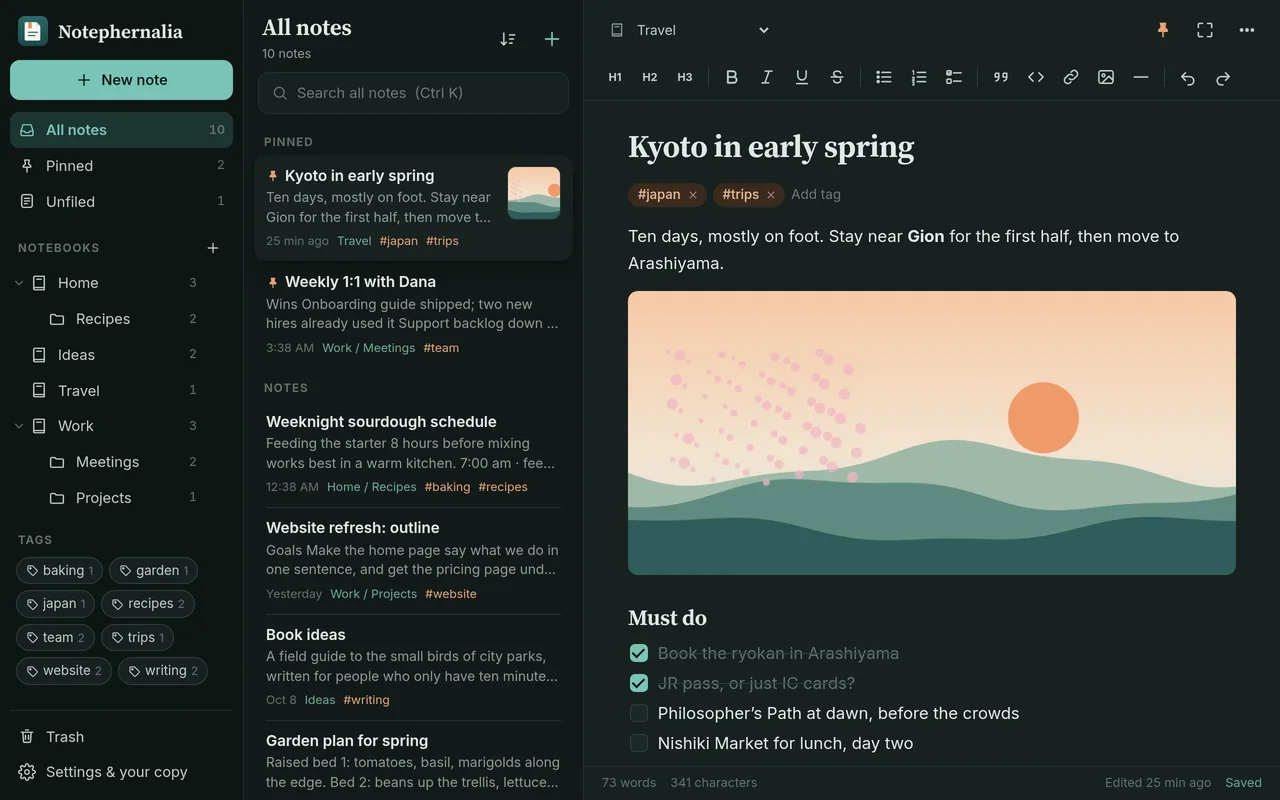
Notephernalia in the dark theme, with a travel note open
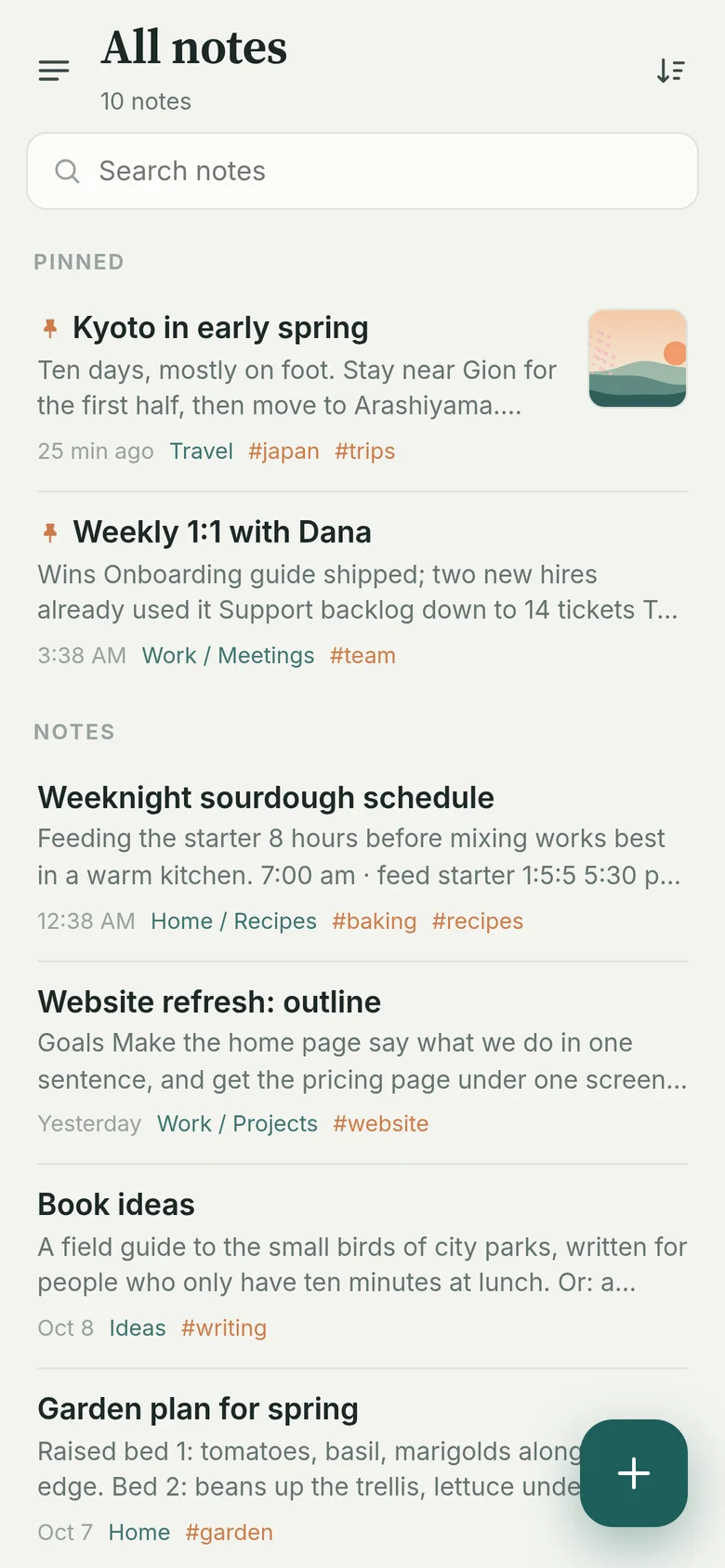
All notes on a phone, pinned notes first, each with its notebook and tags

Notebooks inside notebooks

Keep Home and Work apart, with Recipes inside Home and Meetings inside Work. Pin the notes you need most, add tags like #baking or #trips, and leave anything unfiled until you know where it goes.

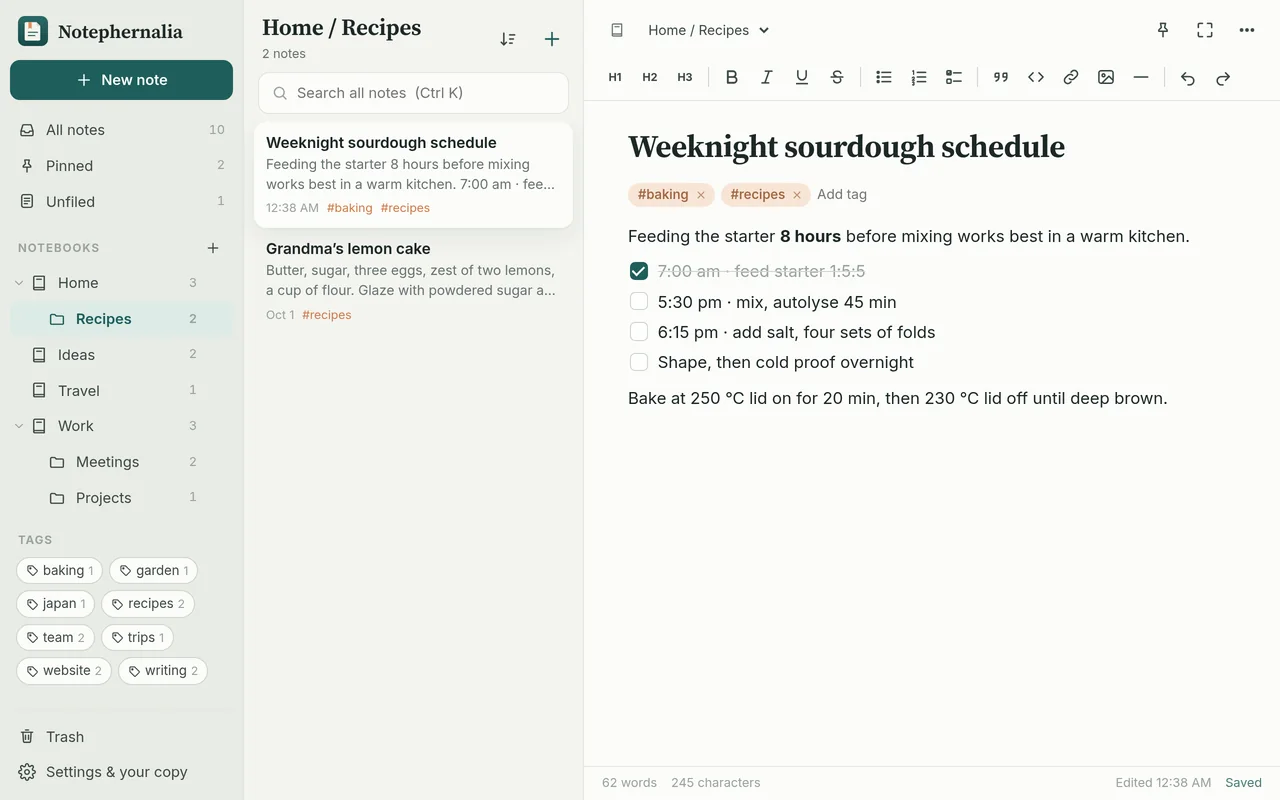
The Recipes notebook inside Home, with a sourdough schedule open
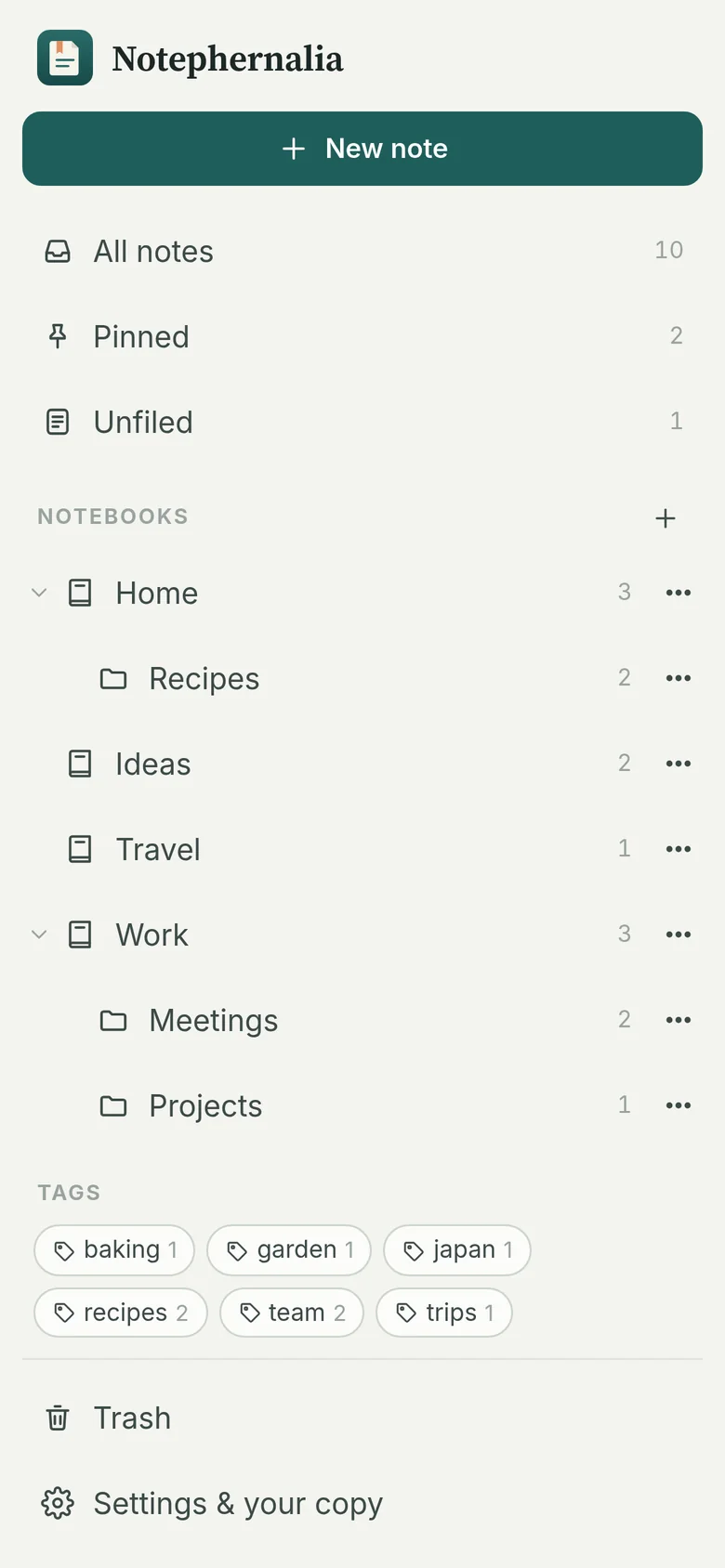
The library on a phone: notebooks, nested notebooks and tags with counts

Find anything in a keystroke

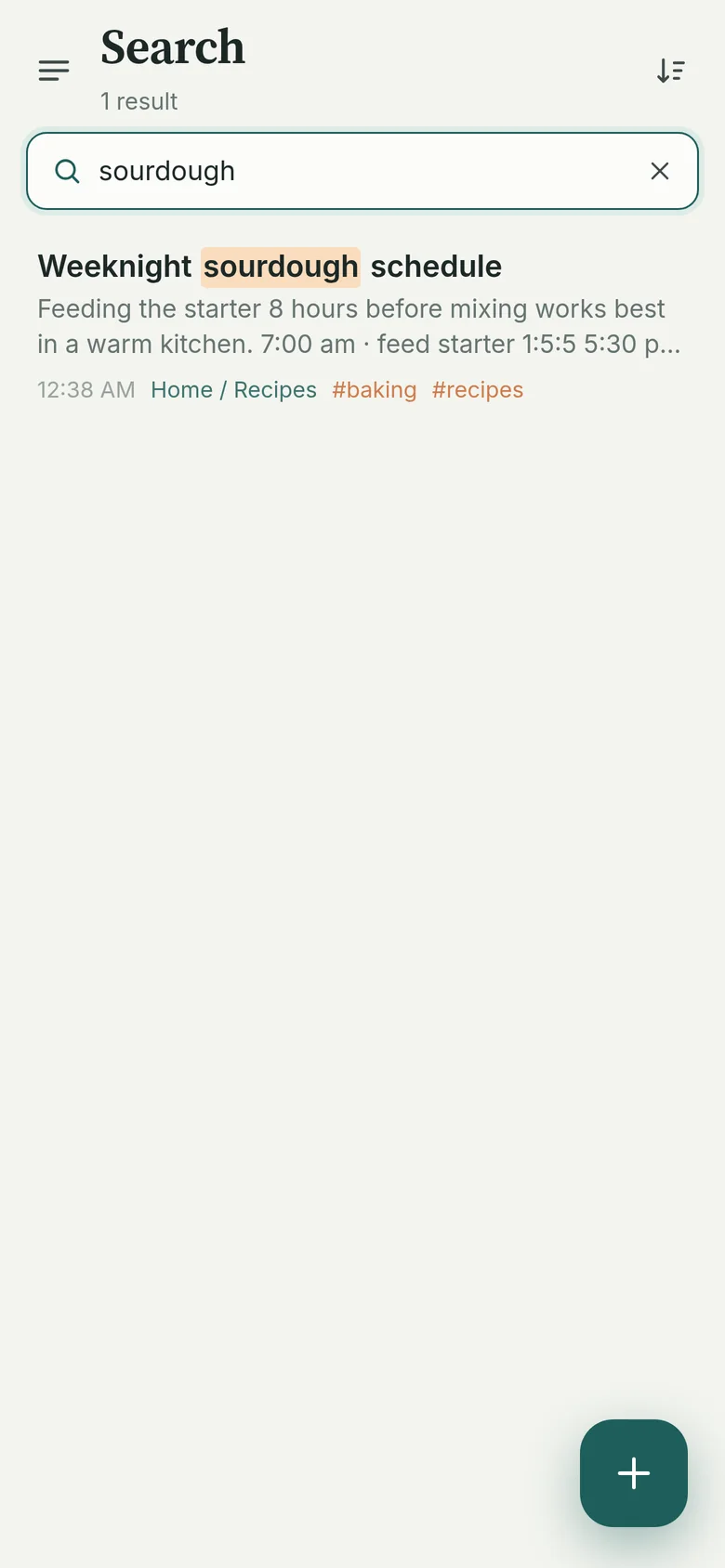
Search looks through every title, every line and every tag at once, and highlights what it found. Type a few words in any order; capital letters don’t matter.

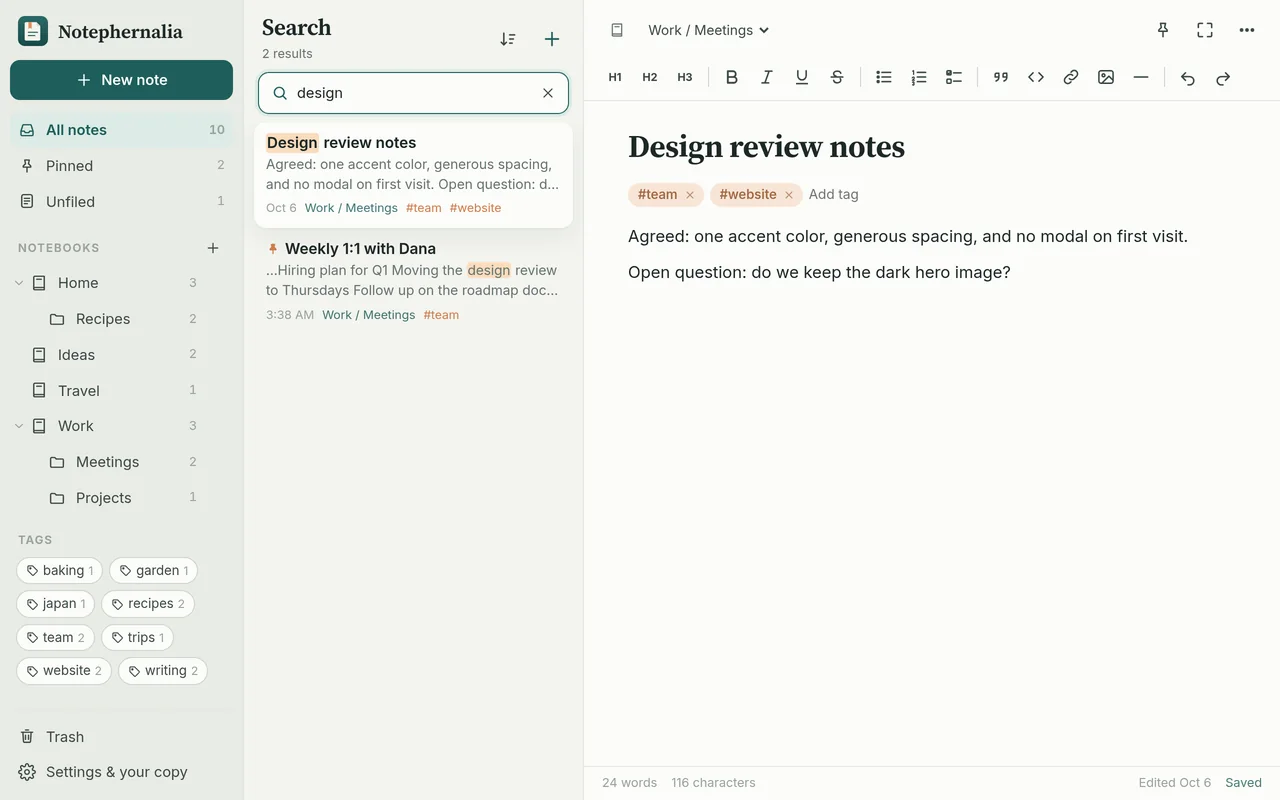
Searching for “design” finds a note and highlights the word
Searching for “sourdough” on a phone

Focus mode, for when it matters

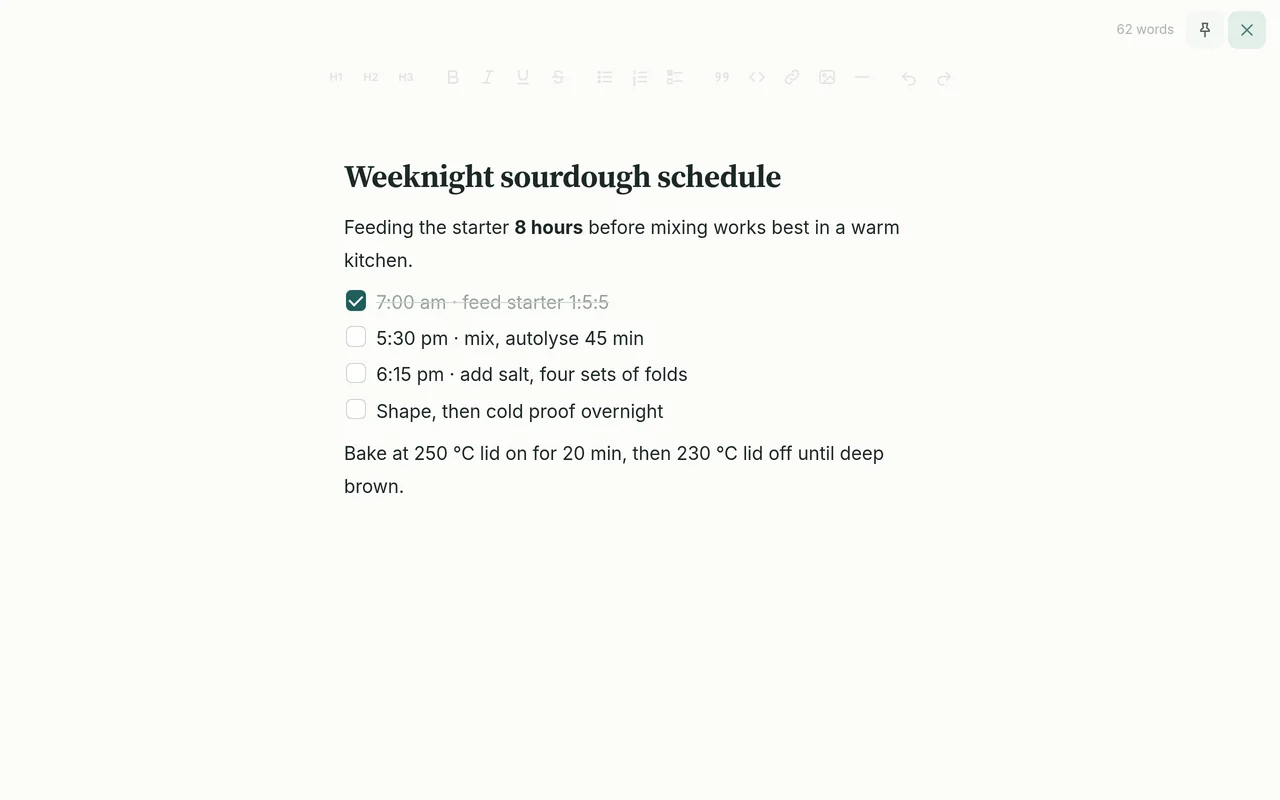
One tap hides the notebooks and the note list, so it’s just you and the page. Light or dark, or follow your phone.

Focus mode: a single note on a quiet page, with everything else tucked away

Kept safe, and never locked in

Deleted notes wait in the Trash until you empty it. Your device keeps a snapshot each day, and a backup file holds everything, pictures included. Restoring one adds its notes back without erasing anything.

  • Automatic daily snapshots, with one-tap restore
  • Export every note as Markdown, in folders by notebook, with pictures alongside, in one .zip
  • Opens in Obsidian, Bear, iA Writer and most editors
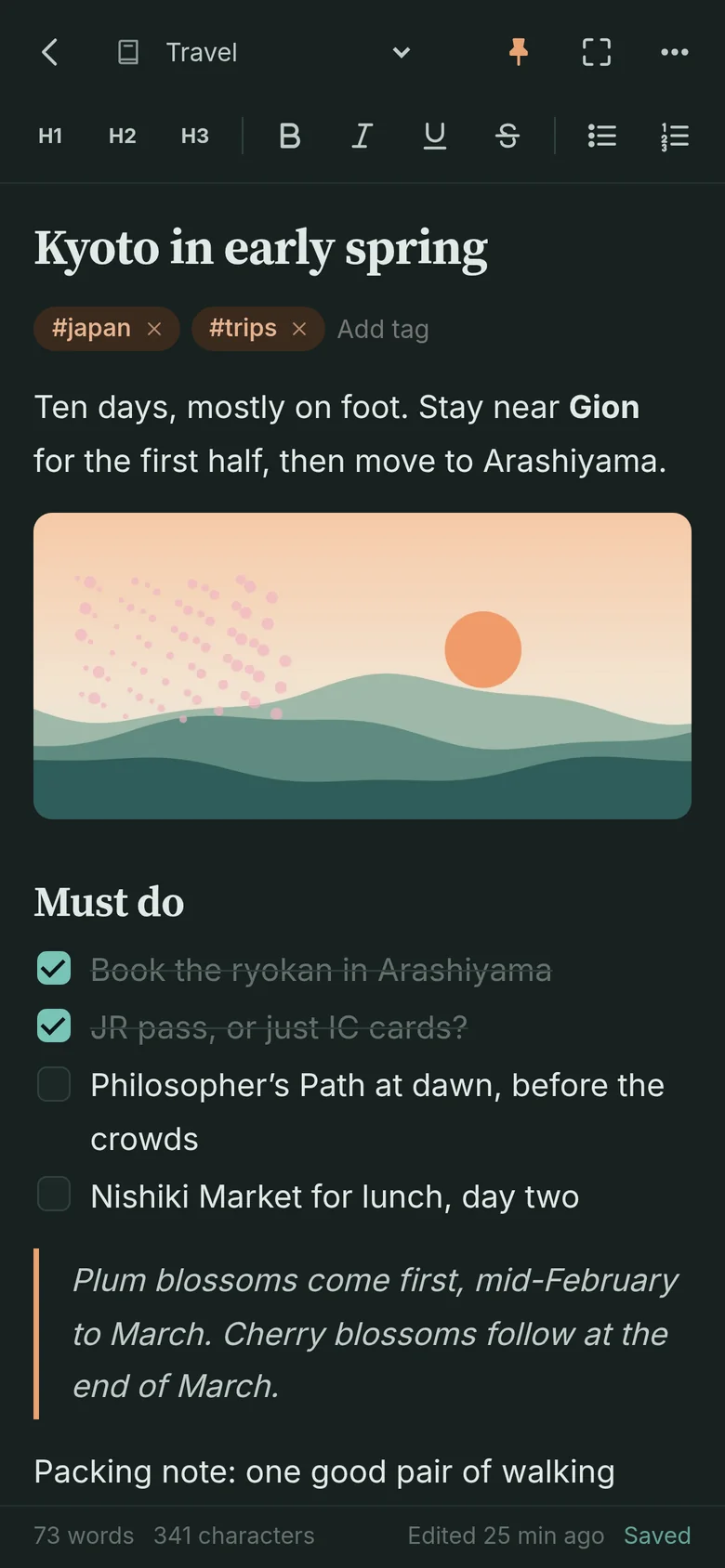
A note in the dark theme on a phone
Private by design

Your notes are yours alone

Notephernalia was built so they stay that way. There’s no company server holding your notes, because they never leave your device.

Stays on your device

Everything is kept in your browser on your own phone or computer. It’s never uploaded, so no one else can see your notes.

No account

Nothing to sign up for, no password to remember, and no email address to hand over.

No AI

Nothing reads, summarizes or rewrites your notes. Every word is yours.

No tracking

No ads, no cookies, and nothing that follows you around the web. The app has no analytics at all; this website counts page visits privately, without cookies (details). It works offline, too.

Install

Put it on your home screen

Notephernalia runs in your web browser, so there’s no app store and nothing to download. Add it to your home screen and it opens like any other app, even without the internet.

iPhone or iPad

  1. Open notes-app-tmn.pages.dev in Safari.
  2. Tap the Share button, the square with an arrow pointing up.
  3. Choose Add to Home Screen, then tap Add.

On iPhone, adding it to your home screen also helps Safari keep your notes safe.

Android

  1. Open notes-app-tmn.pages.dev in Chrome.
  2. Tap the ⋮ menu in the top corner.
  3. Choose Install app or Add to Home screen.

Computer

  1. Open notes-app-tmn.pages.dev in Chrome or Edge.
  2. Click the install icon at the right end of the address bar.
  3. Notephernalia opens in its own window, and you’ll find it with your other apps.

On a Mac with Safari, choose File, then Add to Dock. Or simply bookmark it. It works in any modern browser.

Each phone or computer keeps its own notes. A backup file is how you move them from one to another.

One-time purchase

$14.99, one time. No subscription.

Try it free for 14 days, then unlock it for good with one payment. No account needed.

Buy Notephernalia: $14.99, once

Secure checkout by Stripe. 30-day full refund (details). Try it free first.

Questions

Good questions, plain answers

What does “Notephernalia” mean?

Paraphernalia are the many small things you keep for a purpose. Notephernalia is a home for yours: ideas, lists, recipes, plans and scraps, kept tidy in notebooks on your own device.

Can I take my notes somewhere else?

Yes, any time. Settings, then Export saves every note as a Markdown file, in folders by notebook, with pictures alongside, in one .zip. It opens in Obsidian, Bear, iA Writer and most editors. To export a single note, use the ⋯ menu in that note.

Is it private?

Yes. Your notes are stored only in your browser, on your own phone or computer. They’re never uploaded anywhere. There’s no account and no advertising, and the app has no analytics, so there’s no one to share them with.

Does it work offline?

Yes. After your first visit, Notephernalia opens and saves without an internet connection. Adding it to your home screen makes it feel just like any other app.

What happens after the free trial?

You can use everything in Notephernalia free for 14 days. After that, unlock it to keep writing and editing. Your notes are never locked away: you can always open, export and back them up. One payment unlocks it for good on that device, and the key works on your other devices too.

What happens if I get a new phone?

Your notes live on the device you use, so they won’t move over by themselves. Before you switch, open Settings and save a backup: one file holding everything. Keep it in iCloud Drive or Google Drive, or email it to yourself.

On the new phone, open the app, go to Settings, choose Restore, and pick that file. Restoring merges with what’s already there and never erases it.

How much will it cost?

Notephernalia is $14.99, one time, with no subscription. Try it free for 14 days first. No account or card needed for the trial.

What do I need to use it?

Just a web browser: Safari on iPhone or iPad, Chrome on Android, or Chrome, Edge, Safari or Firefox on a computer. There’s nothing to download from an app store.

A clear page is waiting.

Jot down the first thing on your mind. It will be right where you left it.

Try it free