Writerphernalia home

Listphernalia Little lists, done beautifully.

Simple, private checklists for groceries, packing, routines and to-dos. Tick things off, let routines reset themselves, start from a template, and see what’s due today. It stays on your own device, with no account and no AI.

Listphernalia list·pher·na·lia

Paraphernalia are the many small things a day needs. Listphernalia keeps them in order: groceries, packing, routines and to-dos, each a quiet list you can tick off, on your own device.

  • 14-day free trial, then $6.99 once
  • Nothing to sign up for
  • Works offline
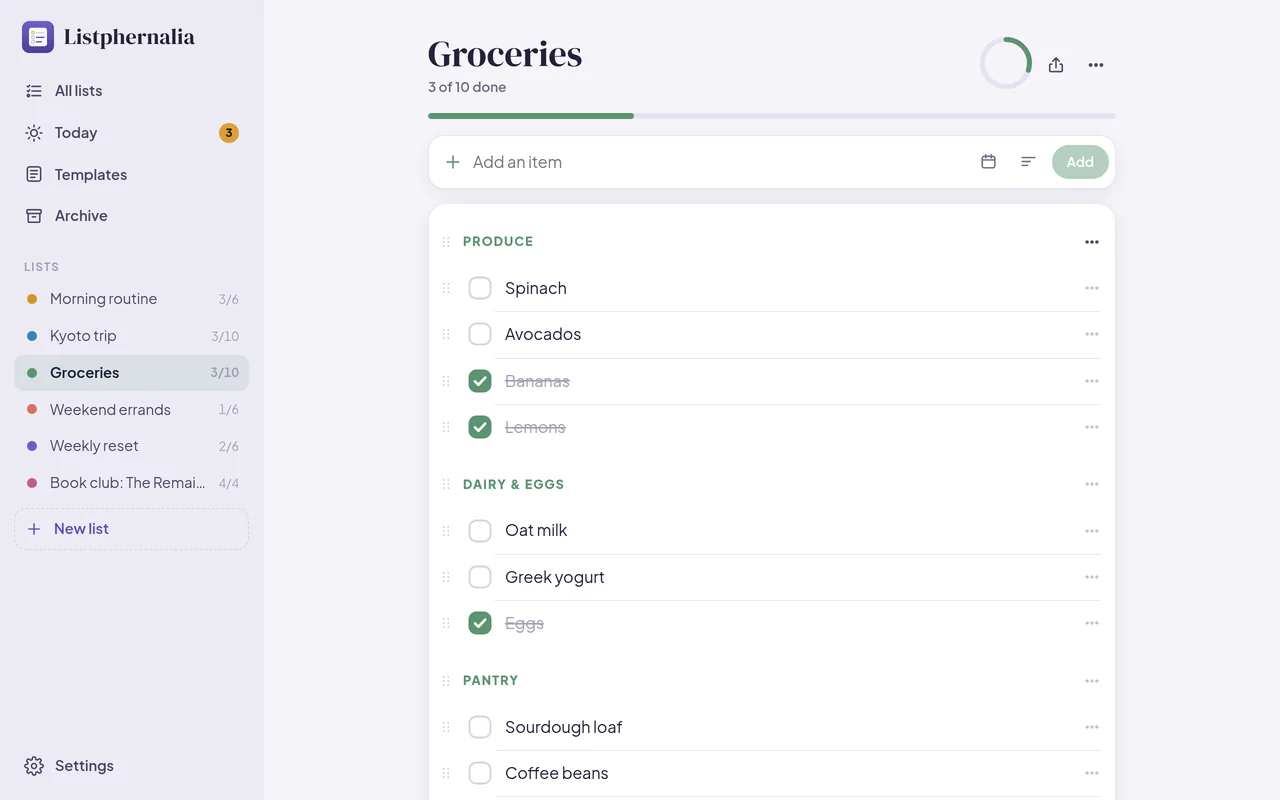
Listphernalia on a computer: a grocery list in sections, with produce, dairy and pantry, some items ticked
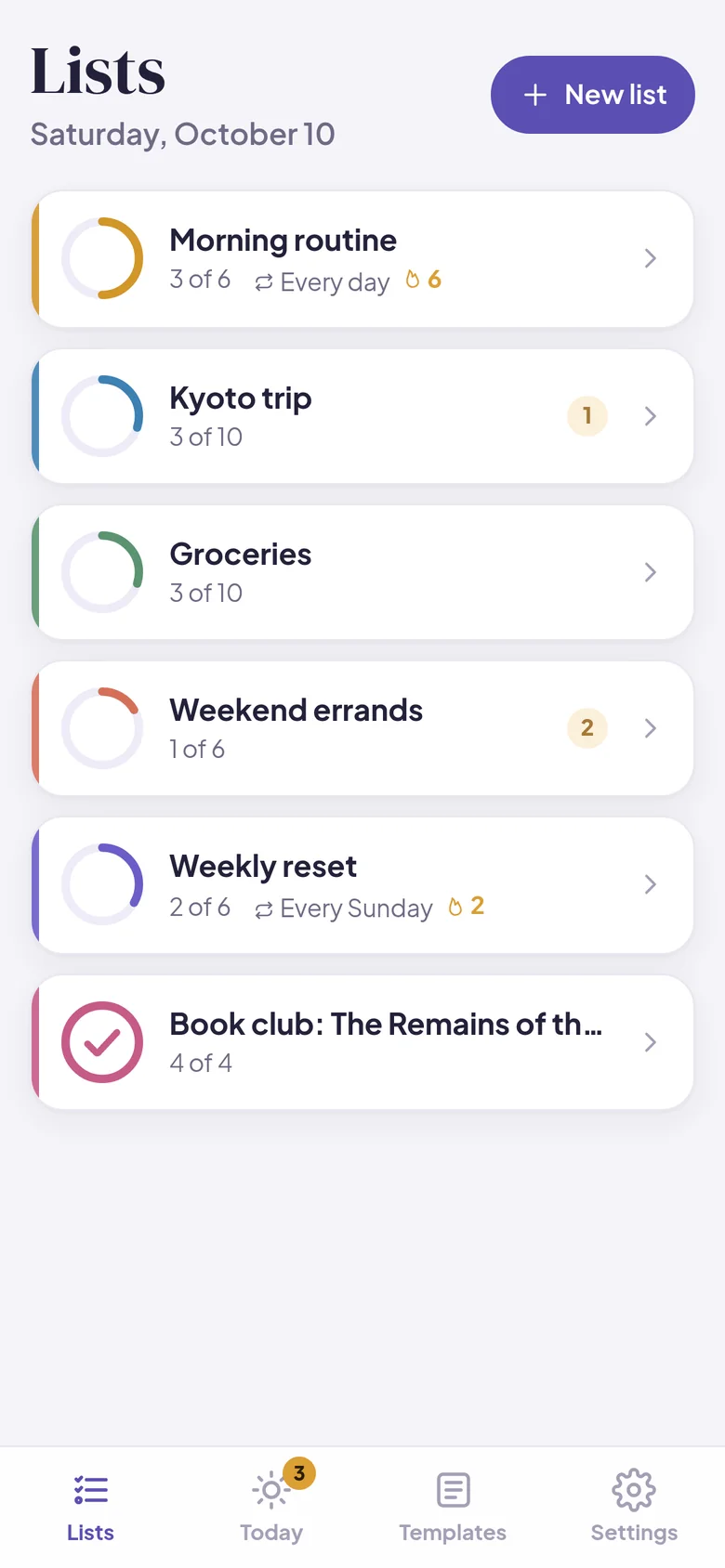
All your lists on a phone, each with a progress ring
What it’s like

Every list in its place

The weekly shop, the trip, the morning routine. Each one gets a calm little list, and ticking things off feels good.

Tick, tick, done

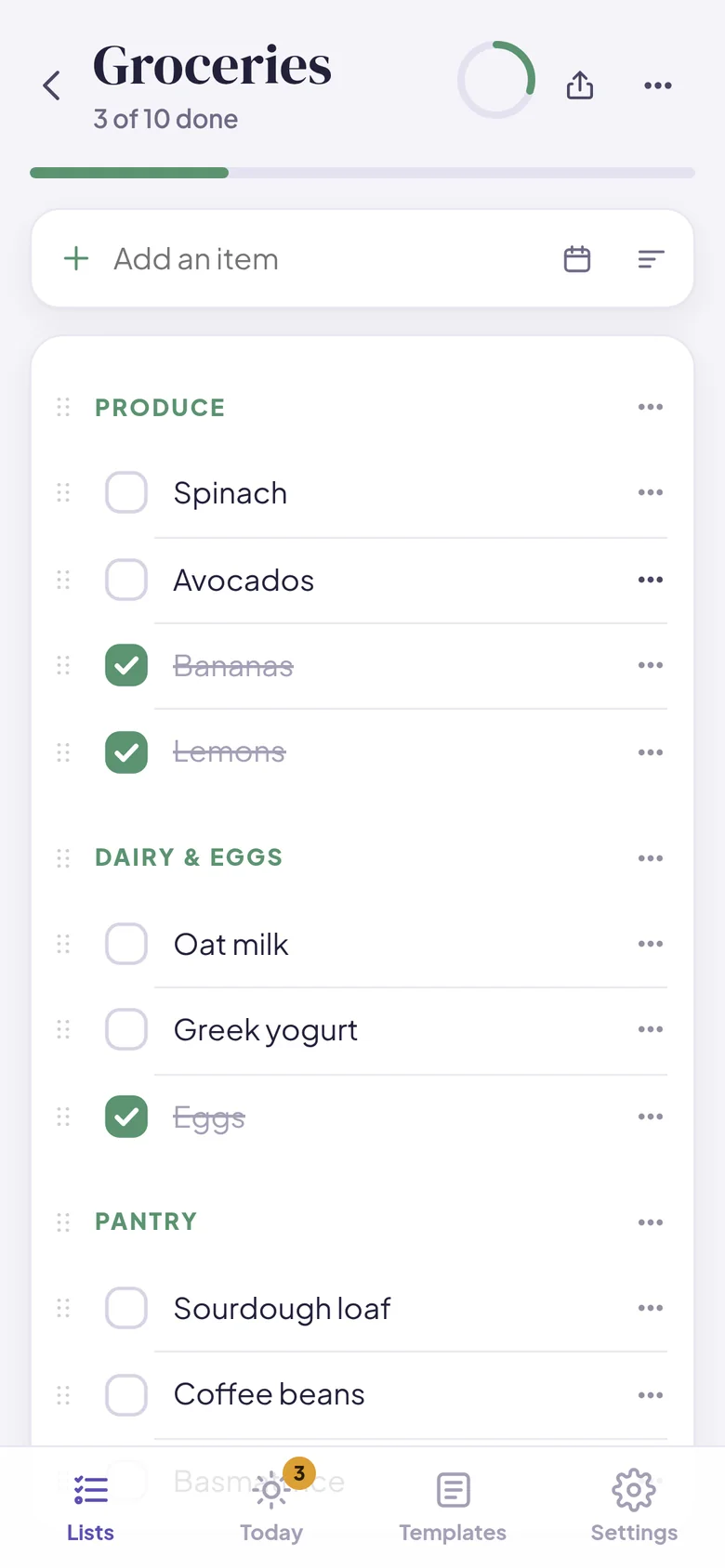
Add items in a second, group them into sections like Produce or Pantry, and drag them into any order. A ring fills up as you go, and finished items sink quietly below the rest.

  • Sections, notes and due dates on any item
  • Drag to reorder items and sections
  • Optional confetti and a gentle haptic tap when a list is done
  • Clear checked items in one go
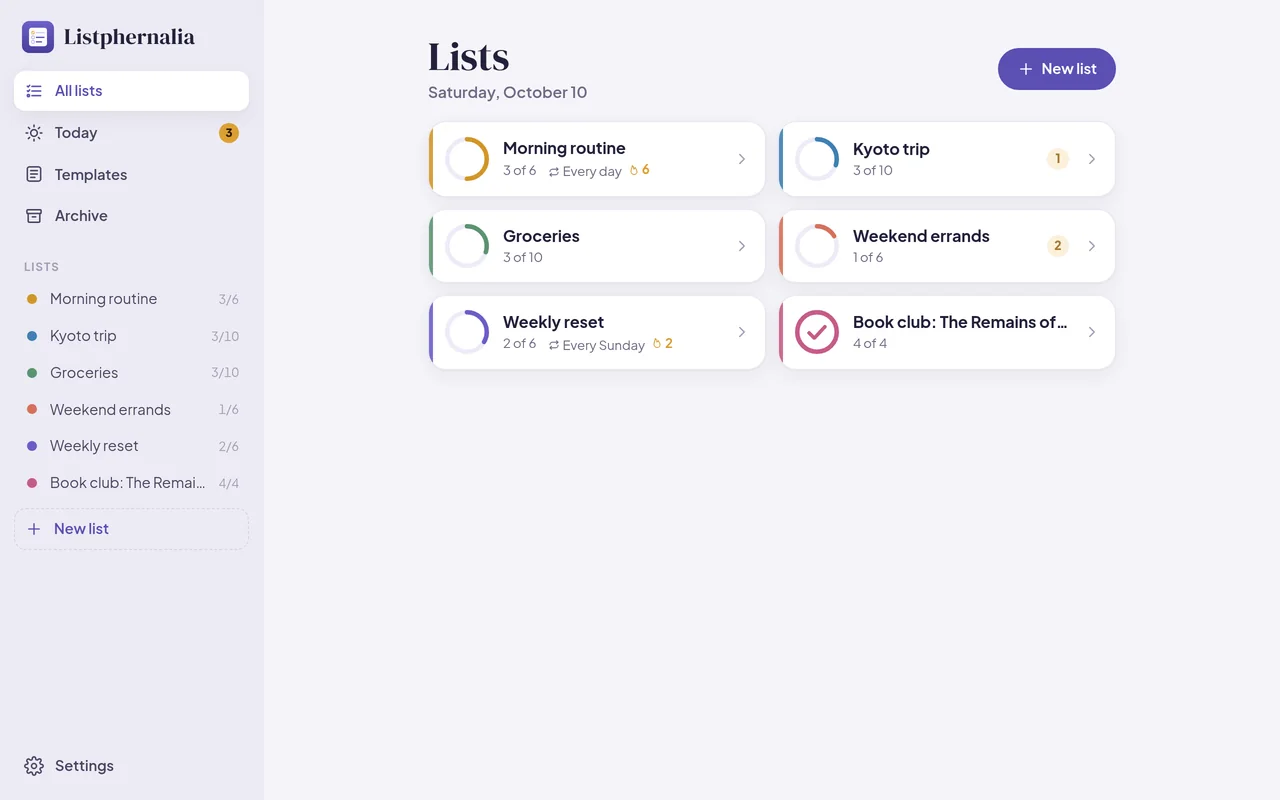
All lists on a computer, with routines and their streaks
A grocery list in sections on a phone

Routines that reset themselves

Make a list a routine and it unticks itself every day, on weekdays, or once a week, ready for next time. A small flame counts the days in a row you finished it.

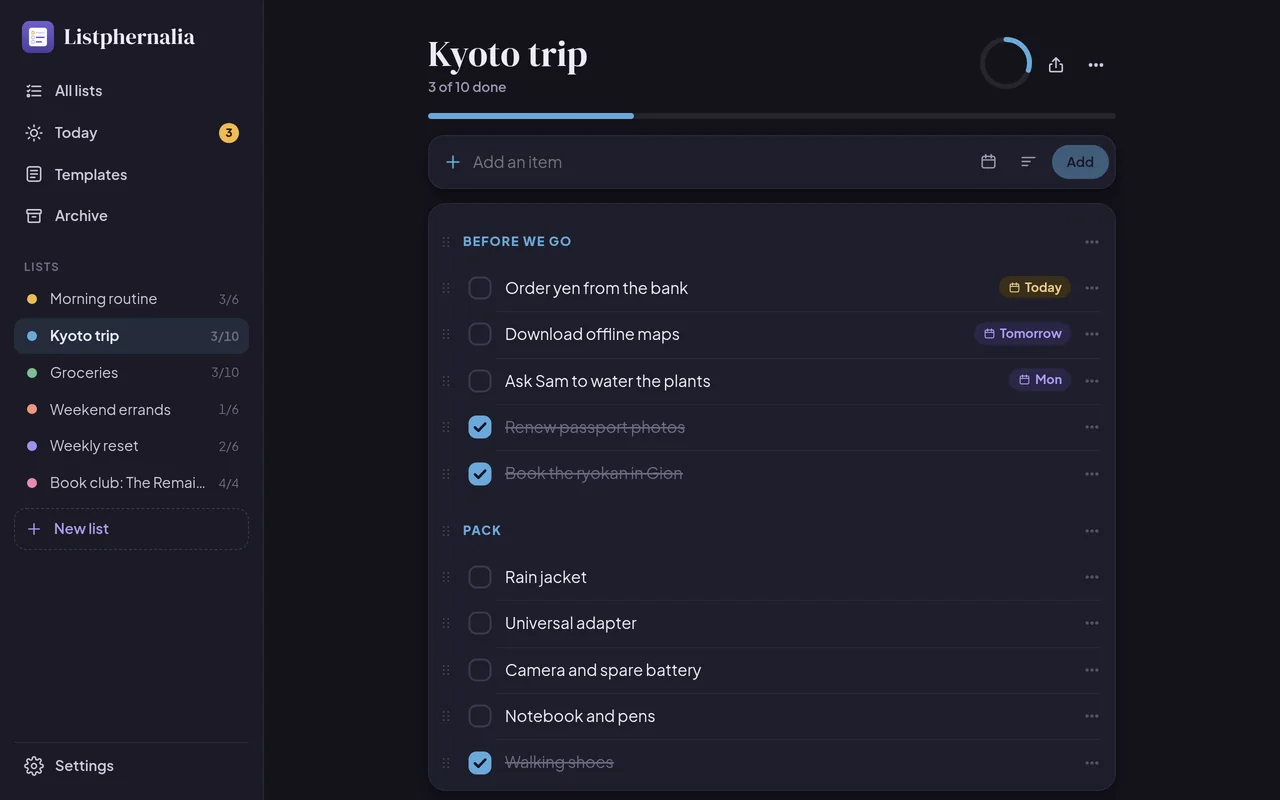
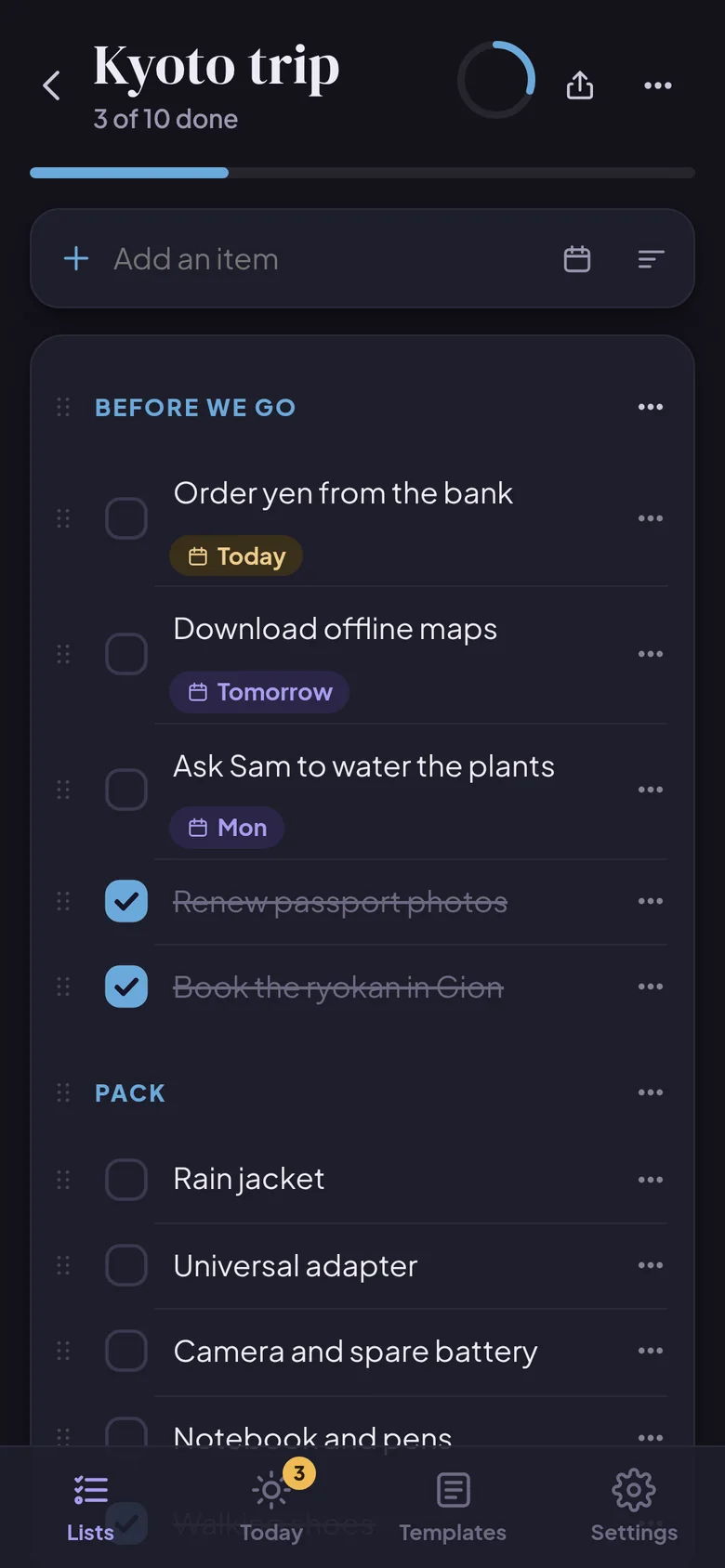
A packing list for a trip in the dark theme
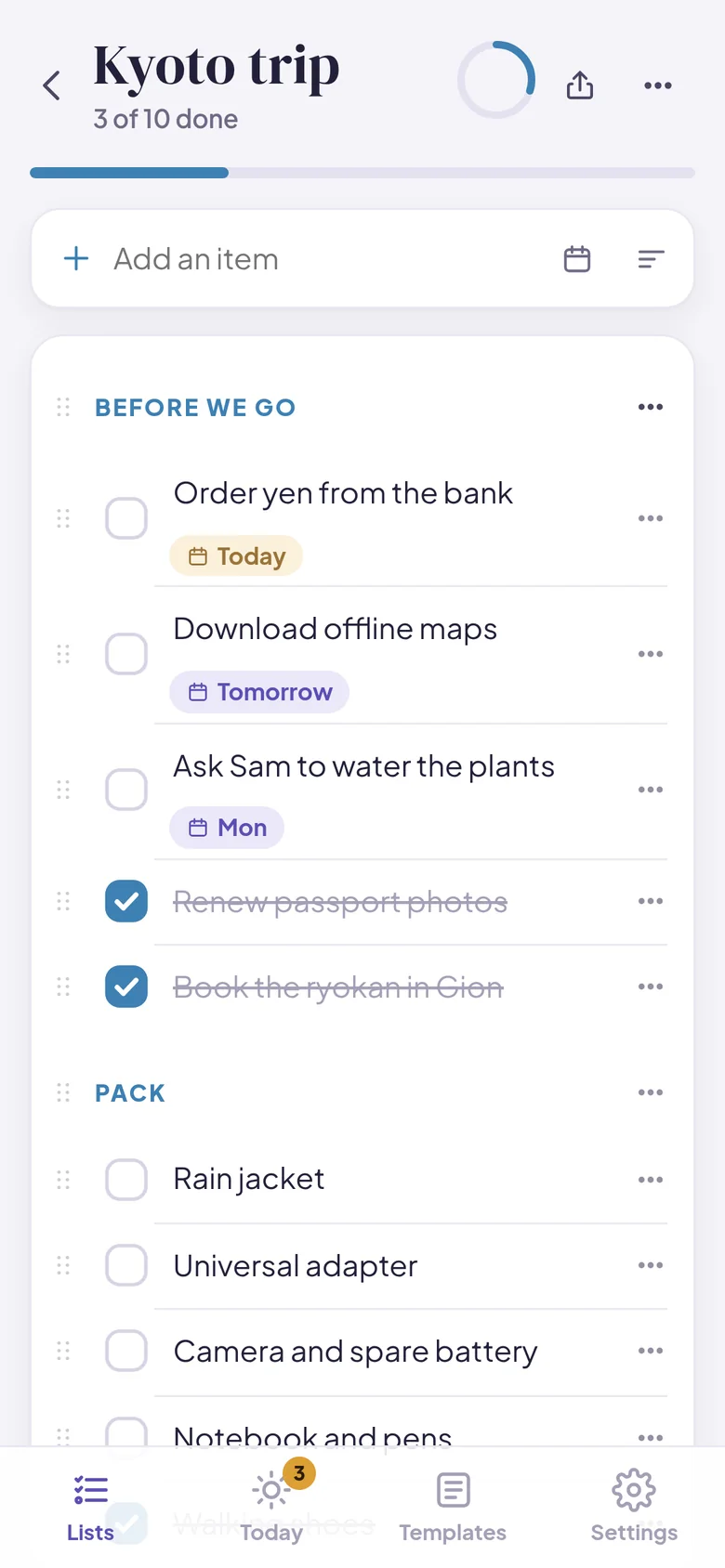
A trip list on a phone, with items due today and tomorrow

Today, at a glance

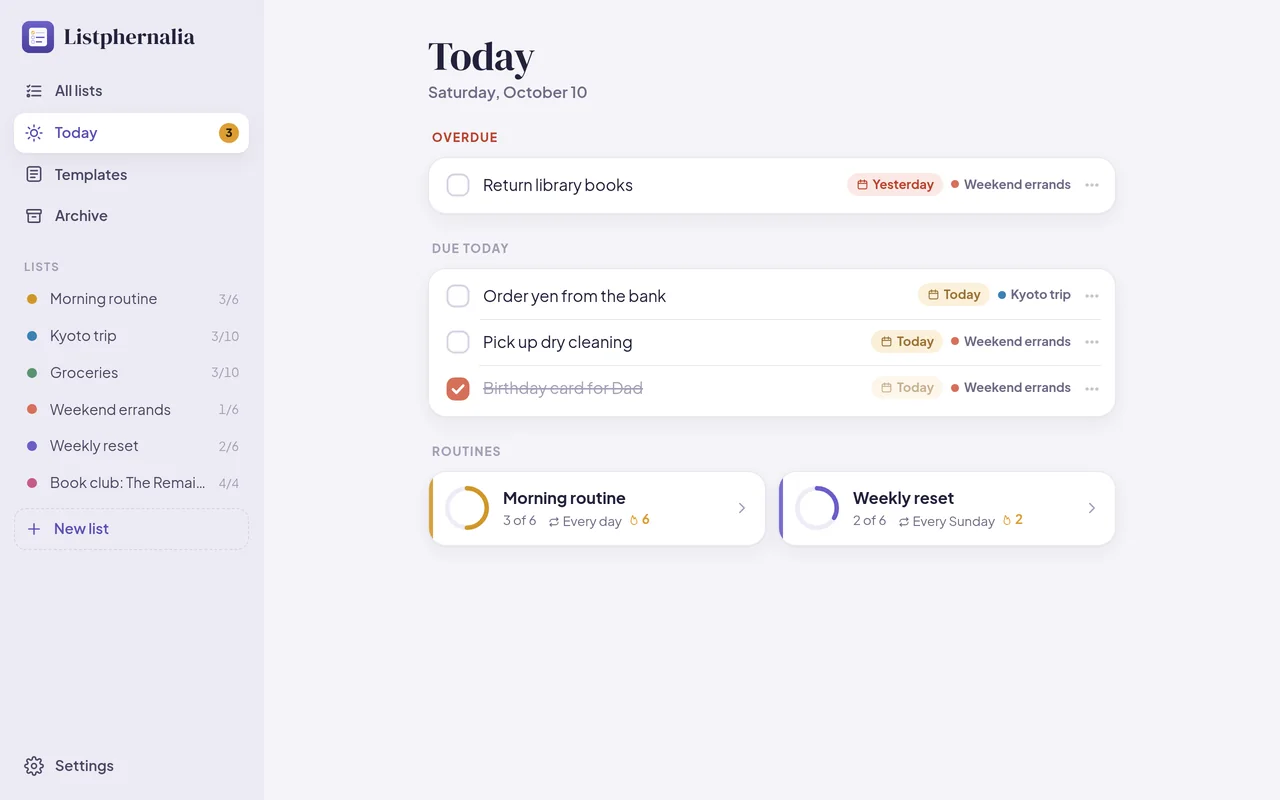
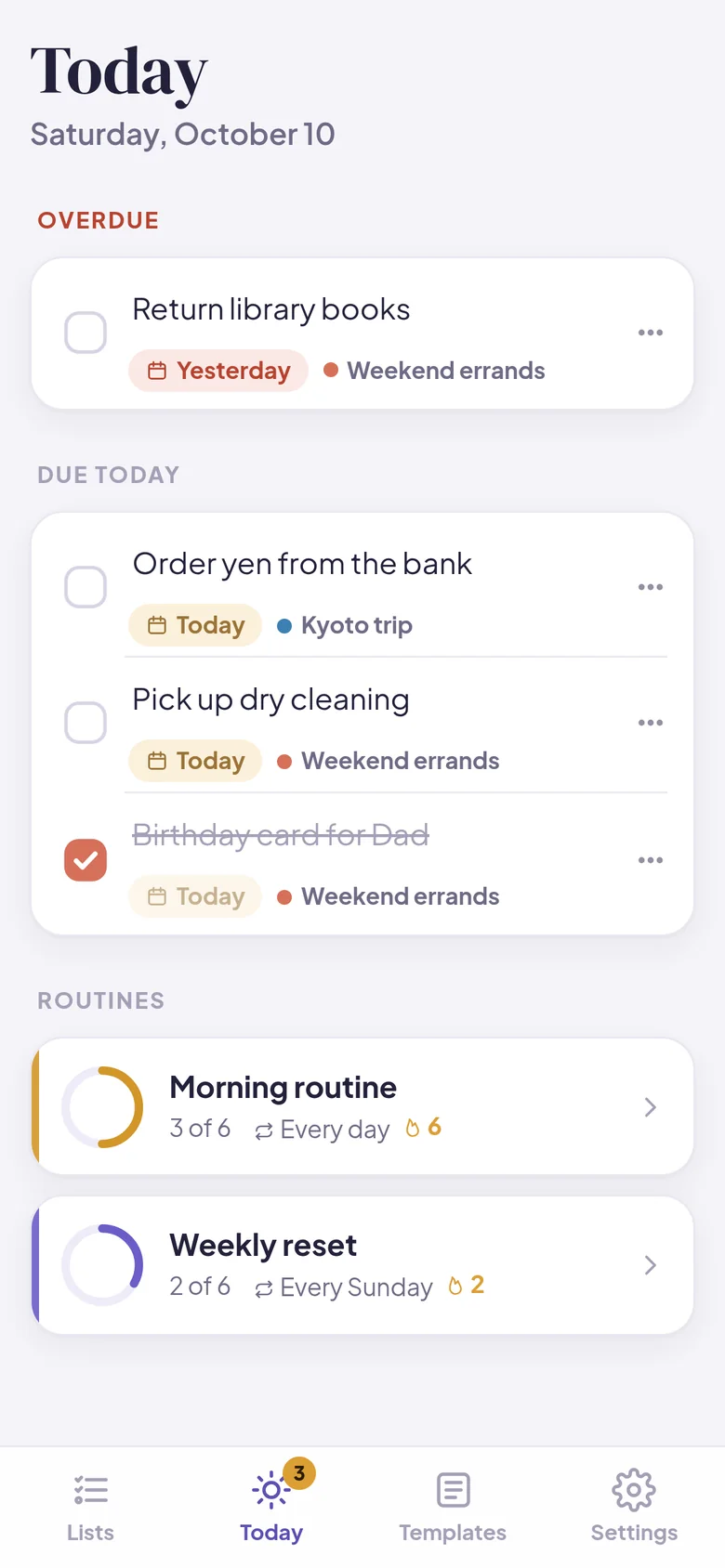
Give an item a date and it shows up in Today, with anything overdue at the top and today’s routines below. One look in the morning and you know what the day holds.

The Today view: overdue items, items due today, and routines
Today on a phone

Start from a template

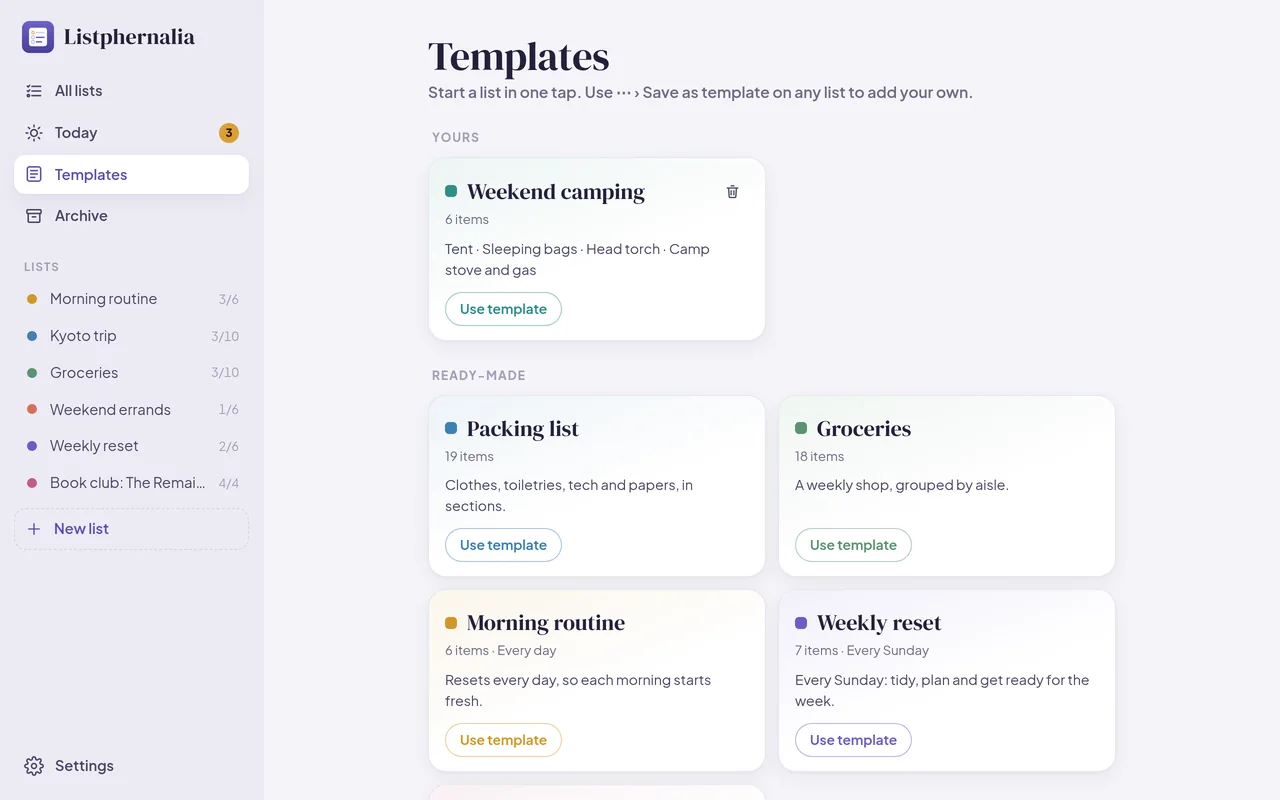
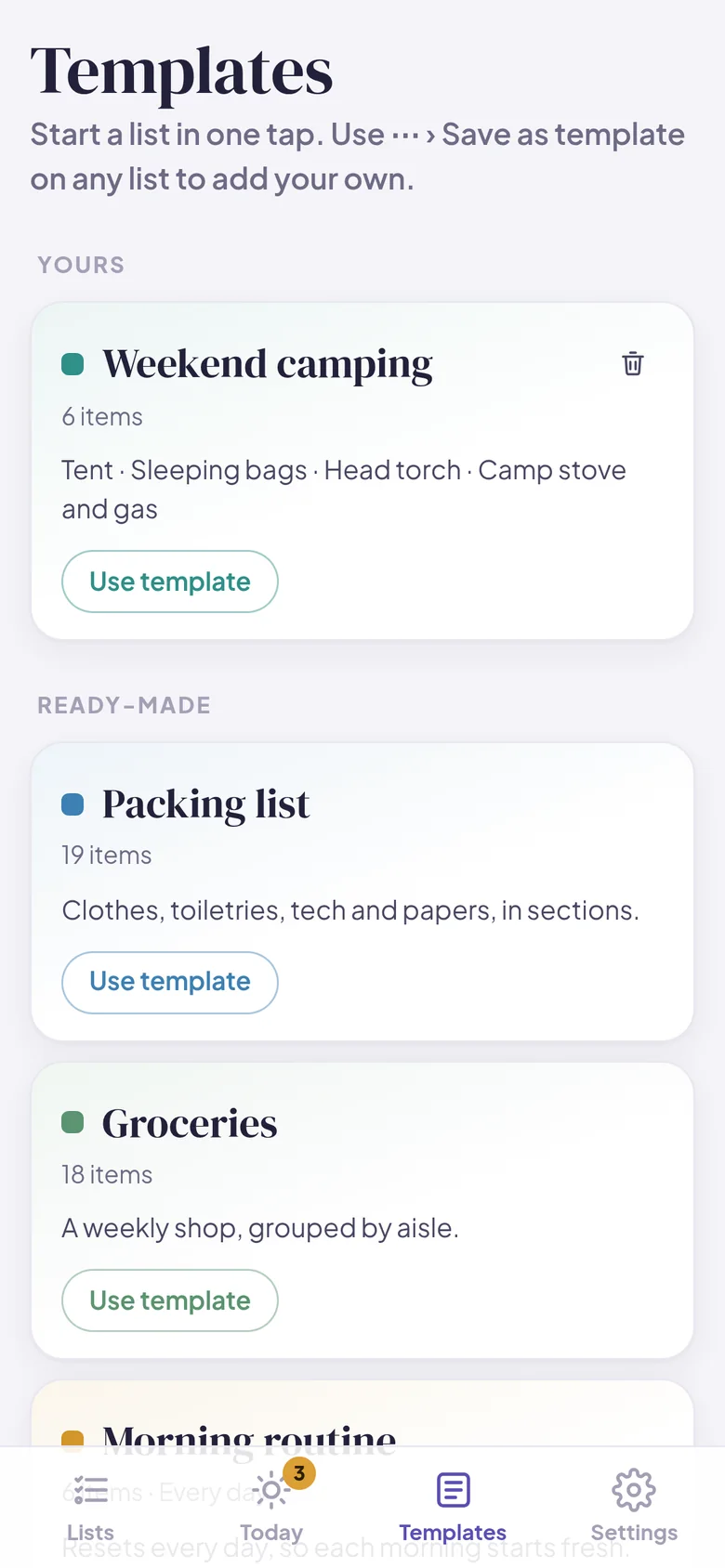
Ready-made lists for packing, groceries and a morning routine get you going in one tap. Save any list of your own as a template, and the next camping trip is already half packed.

Templates: your own and ready-made ones, each with a Use template button
Templates on a phone

Share it, keep it safe

Send a list to someone as plain text with the share button. Your device keeps a snapshot each day, and a backup file holds every list. Restoring one adds its lists back without erasing anything.

  • Export one list, or all of them, as Markdown with [x] checkboxes
  • Light and dark themes, or follow your phone
A list in the dark theme on a phone
Private by design

Your lists are yours alone

Listphernalia was built so they stay that way. There’s no company server holding your lists, because they never leave your device.

Stays on your device

Everything is kept in your browser on your own phone or computer. It’s never uploaded, so no one else can see your lists.

No account

Nothing to sign up for, no password to remember, and no email address to hand over.

No AI

Nothing reads or sorts your lists for you. Every item is yours.

No tracking

No ads, no cookies, and nothing that follows you around the web. The app has no analytics at all; this website counts page visits privately, without cookies (details). It works offline, too.

Install

Put it on your home screen

Listphernalia runs in your web browser, so there’s no app store and nothing to download. Add it to your home screen and it opens like any other app, even without the internet.

iPhone or iPad

  1. Open checklist-app-7ib.pages.dev in Safari.
  2. Tap the Share button, the square with an arrow pointing up.
  3. Choose Add to Home Screen, then tap Add.

On iPhone, adding it to your home screen also helps Safari keep your lists safe.

Android

  1. Open checklist-app-7ib.pages.dev in Chrome.
  2. Tap the ⋮ menu in the top corner.
  3. Choose Install app or Add to Home screen.

Computer

  1. Open checklist-app-7ib.pages.dev in Chrome or Edge.
  2. Click the install icon at the right end of the address bar.
  3. Listphernalia opens in its own window, and you’ll find it with your other apps.

On a Mac with Safari, choose File, then Add to Dock. Or simply bookmark it. It works in any modern browser.

Each phone or computer keeps its own lists. A backup file is how you move them from one to another.

One-time purchase

$6.99, one time. No subscription.

Try it free for 14 days, then unlock it for good with one payment. No account needed.

Buy Listphernalia: $6.99, once

Secure checkout by Stripe. 30-day full refund (details). Try it free first.

Questions

Good questions, plain answers

What does “Listphernalia” mean?

Paraphernalia are the many small things a day needs. Listphernalia keeps them in order: groceries, packing, routines and to-dos, each a quiet list you can tick off, on your own device.

Can I share a list with someone?

Yes. Tap the share button on any list to send it as plain text, by message or email. Lists aren’t synced between people or devices; each phone or computer keeps its own.

Is it private?

Yes. Your lists are stored only in your browser, on your own phone or computer. They’re never uploaded anywhere. There’s no account and no advertising, and the app has no analytics, so there’s no one to share them with.

Does it work offline?

Yes. After your first visit, Listphernalia opens and saves without an internet connection. Adding it to your home screen makes it feel just like any other app.

What happens after the free trial?

You can use everything in Listphernalia free for 14 days. After that, unlock it to keep adding and editing. Your lists are never locked away: you can always open, export and back them up. One payment unlocks it for good on that device, and the key works on your other devices too.

What happens if I get a new phone?

Your lists live on the device you use, so they won’t move over by themselves. Before you switch, open Settings and save a backup: one file holding everything. Keep it in iCloud Drive or Google Drive, or email it to yourself.

On the new phone, open the app, go to Settings, choose Restore, and pick that file. Restoring merges with what’s already there and never erases it.

How much will it cost?

Listphernalia is $6.99, one time, with no subscription. Try it free for 14 days first. No account or card needed for the trial.

What do I need to use it?

Just a web browser: Safari on iPhone or iPad, Chrome on Android, or Chrome, Edge, Safari or Firefox on a computer. There’s nothing to download from an app store.

What’s on your list today?

Make the first one in seconds. Tick it off, and enjoy it.

Try it free