Writerphernalia home

Homeledger Your home, written down.

List what you own room by room, with values, serial numbers and photos, and keep track of the upkeep: filters, gutters, service visits. If you ever need to file an insurance claim, it’s all in one place, on your own device.

Homeledger home·ledg·er

A ledger is a book where you keep careful records. Homeledger is that book for your house: what’s in it, what it’s worth, and what needs doing.

  • 14-day free trial, then $29.99 once
  • Nothing to sign up for
  • Works offline
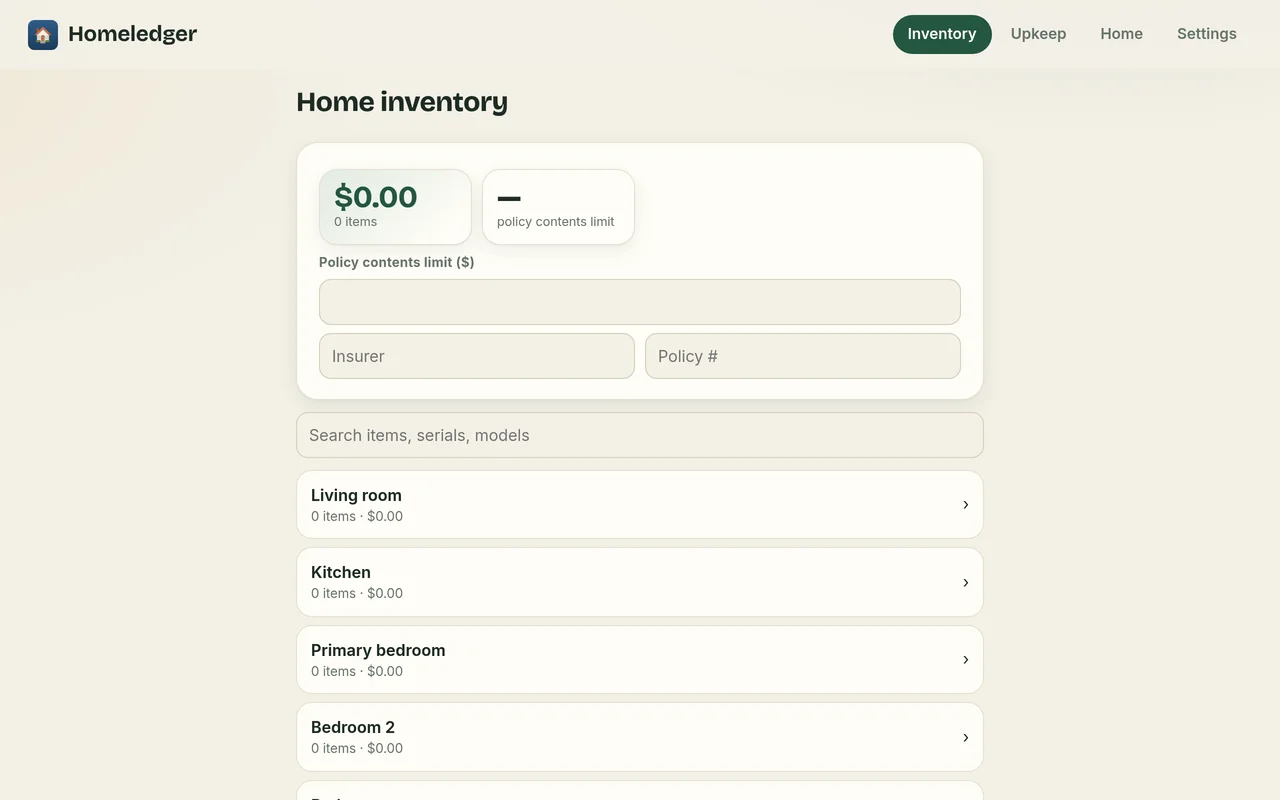
Homeledger on a computer: the home inventory by room with total value and insurance policy limit
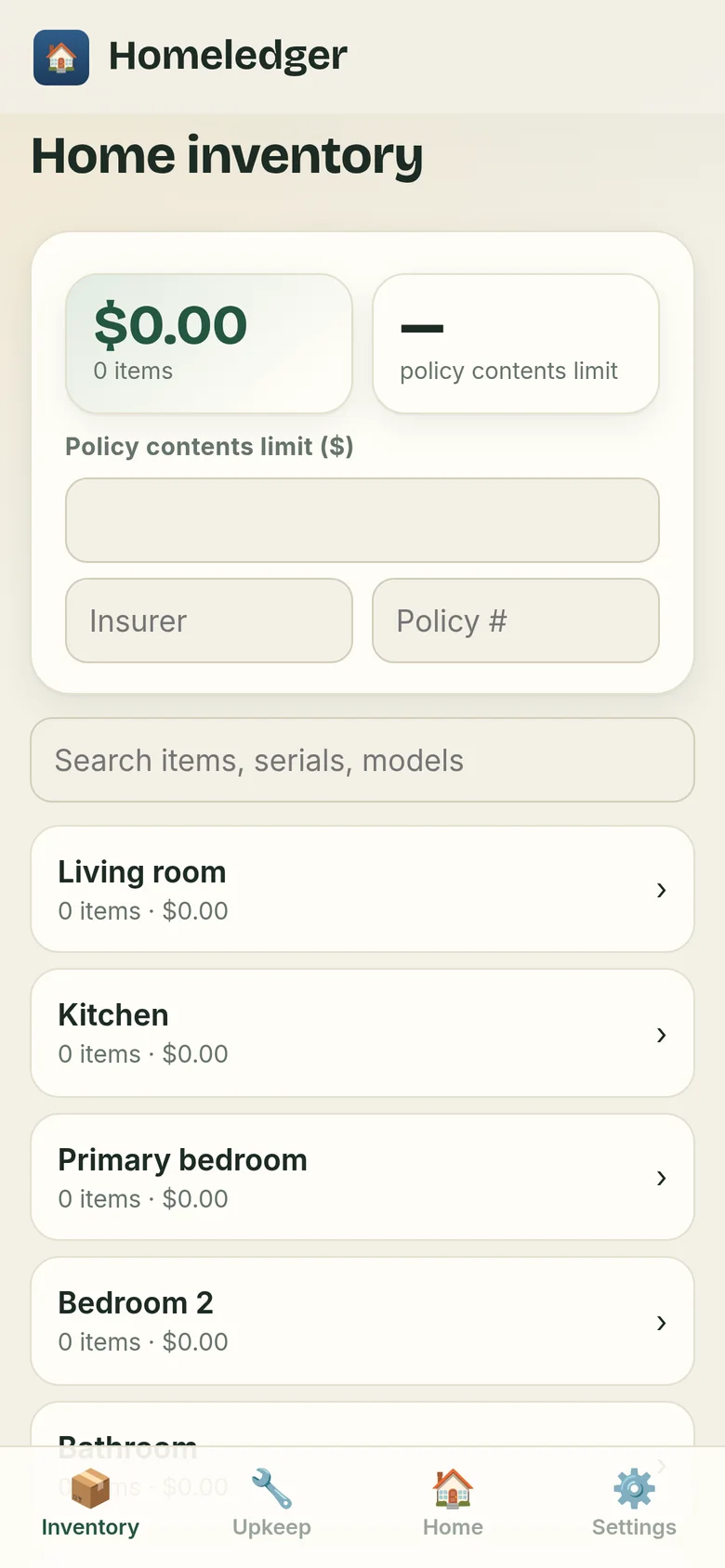
Homeledger on a phone
What it’s like

Everything about your home, in one place

Ready for an insurance claim, a move, or just the next furnace filter.

Inventory, room by room

Add items to each room with what you paid, serial and model numbers, and photos of the item and the receipt. Homeledger totals it up and shows it beside your policy’s contents limit.

  • Search items, serials and models
  • Export a list for your insurer
The inventory on a computer
The inventory on a phone

Upkeep that doesn’t slip

Keep a list of maintenance tasks with how often they’re due, and a log of what was done and when.

Homeledger on a phone
Private by design

Your home is your business

There’s no company server holding your inventory, because it never leaves your device.

Stays on your device

Everything is kept in your browser on your own phone or computer. It’s never uploaded, so no one else can see your records.

No account

Nothing to sign up for, no password to remember, and no email address to hand over.

No AI

Nothing reads your records. Every word is yours.

No tracking

No ads, no cookies, and nothing that follows you around the web. The app has no analytics at all; this website counts page visits privately, without cookies (details). It works offline, too.

Install

Put it on your home screen

Homeledger runs in your web browser, so there’s no app store and nothing to download. Add it to your home screen and it opens like any other app, even without the internet.

iPhone or iPad

  1. Open home-records-app.pages.dev in Safari.
  2. Tap the Share button, the square with an arrow pointing up.
  3. Choose Add to Home Screen, then tap Add.

On iPhone, adding it to your home screen also helps Safari keep your records safe.

Android

  1. Open home-records-app.pages.dev in Chrome.
  2. Tap the ⋮ menu in the top corner.
  3. Choose Install app or Add to Home screen.

Computer

  1. Open home-records-app.pages.dev in Chrome or Edge.
  2. Click the install icon at the right end of the address bar.
  3. Homeledger opens in its own window, and you’ll find it with your other apps.

On a Mac with Safari, choose File, then Add to Dock. Or simply bookmark it. It works in any modern browser.

Each phone or computer keeps its own records. A backup file is how you move them from one to another.

One-time purchase

$29.99, one time. No subscription.

Try it free for 14 days, then unlock it for good with one payment. No account needed.

Buy Homeledger: $29.99, once

Secure checkout by Stripe. 30-day full refund (details). Try it free first.

Questions

Good questions, plain answers

Is it private?

Yes. Your records are stored only in your browser, on your own phone or computer. They’re never uploaded anywhere. There’s no account and no advertising, and the app has no analytics, so there’s no one to share them with.

Does it work offline?

Yes. After your first visit, Homeledger opens and saves without an internet connection. Adding it to your home screen makes it feel just like any other app.

What happens after the free trial?

You can use everything in Homeledger free for 14 days. After that, unlock it to keep editing. Your records are never locked away: you can always open, export and back them up. One payment unlocks it for good on that device, and the key works on your other devices too.

What happens if I get a new phone?

Your records live on the device you use, so they won’t move over by themselves. Before you switch, open Settings and save a backup: one file holding everything. Keep it in iCloud Drive or Google Drive, or email it to yourself.

On the new phone, open the app, go to Settings, choose Restore, and pick that file. Restoring merges with what’s already there and never erases it.

How much will it cost?

Homeledger is $29.99, one time, with no subscription. Try it free for 14 days first. No account or card needed for the trial.

What do I need to use it?

Just a web browser: Safari on iPhone or iPad, Chrome on Android, or Chrome, Edge, Safari or Firefox on a computer. There’s nothing to download from an app store.

Start with one room.

Walk through the living room with your phone. It takes ten minutes.

Try it free for 14 days